Ecommerce Migration Checklist: Your Essential Path to a Successful Move

 Kal Wiggins
 Are you risking operational disruption and customer trust loss by not having a strategic ecommerce migration checklist in place?
Starting an ecommerce platform transition is a big step. It needs careful planning and a detailed guide. Every step is important to make the move smooth. With global ecommerce sales expected to reach $8 trillion by 2027, a successful migration can boost your business.
Ecommerce migration is more than just moving data. It’s about upgrading your digital space to serve your customers better. A detailed checklist can make all the difference in a smooth transition.
Key Takeaways
- An essential ecommerce migration checklist can prevent operational disruptions and loss of customer trust.
- Planning and identifying business goals are critical steps in the website migration guide.
- Choosing the right ecommerce platform depends on evaluating various features and understanding SEO capabilities.
- LitExtension offers professional ecommerce migration services with free demo consultations.
- Proper data backup, trial migrations, and DNS updates are vital steps in the migration project timeline.
Planning Your Ecommerce Migration
The key to a successful ecommerce store transfer process is in the planning. We must first set clear goals and objectives. Understanding why we’re migrating and how to track progress is essential.
Creating specific, measurable KPIs is crucial. We can track improvements in conversion rates and average order value. A detailed migration project timeline is also vital for a smooth workflow.
Following data migration best practices is another critical aspect. We must ensure our data is accurate and transferred effectively. A well-documented plan helps us stay prepared for each phase.
Each type of migration, like design or platform changes, has its own SEO risks. Domain changes, for example, require more attention due to potential losses in equity and search engine history. Design changes pose a lower risk but still need thorough planning.
When it comes to site re-platforming tips, we must consider domain name changes and URL structure alterations. Effective technical SEO and addressing errors are key to sustaining our revenue and online presence during the migration.
By taking a systematic approach and thoroughly preparing for each step, we can minimize disruptions. This attention to detail ensures our ecommerce store remains robust and capable of growing even after the migration.
Choosing the Right Ecommerce Platform
Choosing the right ecommerce platform is key to meeting your business goals and growing. Your goals should guide what you need in a platform, like support for many languages or mobile-friendly designs. Also, think about seo considerations for migration and how it affects your business.
Identifying Business Goals
First, know what you want from your platform. Do you need something scalable like Shopify, or SEO-focused like BigCommerce? Your goals will help you decide what features are most important, like language support or mobile designs.
Evaluating Platform Features
Look at what the platform offers, like inventory management and payment options. Also, think about technical migration steps and how easy it is to move. Shopify and BigCommerce have tools and teams to help with this.
They also offer different ways to migrate, like cloud or on-premise solutions. Each has its own level of control and security. Make sure it fits your store’s needs. Learn more about platform migration approaches.
Understanding SEO Capabilities
It’s important to know how well a platform handles SEO. Modern platforms have tools to help with search engine rankings. But, migrations can affect rankings. So, it’s crucial to keep up with SEO efforts.
Make sure your site is easy to use and loads fast. A good user experience can lead to more sales and happy customers. Our goal is to make the transition smooth, with little downtime and no data loss.
Essential Steps in Ecommerce Migration Checklist
Ecommerce migrations are complex and need careful planning. As global ecommerce sales are expected to grow, making sure the transition goes smoothly is key. Here’s a detailed guide to help ensure your ecommerce migration is a success.
Data Backup and Cleanup
Backing up and cleaning up data is crucial. It keeps important info like product details and customer data safe. This step also removes unnecessary records to keep only what’s needed.
Data Mapping and Validation
Data mapping and validation are essential. They align your old and new databases. It’s important to check the data to ensure it moves correctly without errors.
Trial Migrations
Trial migrations help find and fix issues before the big move. They let us test and improve the process. This way, we can avoid problems and make the transition smooth.
Updating DNS and Domain Settings
Updating DNS and domain settings is critical. It ensures your site stays accessible during the migration. Quick and correct updates prevent downtime and keep users connected.
Content and Design Optimization
Optimizing content and design is important for looks and function. It makes your online store better for users and boosts sales. For example, J. Lindeberg saw a big increase in revenue and sales after moving to Shopify.
| Steps | Importance | Impact |
|---|---|---|
| Data Backup and Cleanup | High | Preserves critical information and ensures database accuracy. |
| Data Mapping and Validation | High | Ensures seamless data transition and functional integrity. |
| Trial Migrations | Medium | Identifies and rectifies issues before full migration. |
| Updating DNS and Domain Settings | High | Ensures smooth user access and service uptime post-migration. |
| Content and Design Optimization | Medium | Enhances UX and boosts conversion rates. |
Testing and Quality Assurance
Testing and quality assurance are key to a smooth ecommerce migration. This phase makes sure all technical details are perfect. It includes ecommerce migration testing and quality checks on the new platform.
We can’t ignore the need for trial migrations to find bugs or conflicts. Every detail, from shopping cart to product catalog, must be checked. Post-migration audits compare the new site’s performance to the old one.
Quality checks during ecommerce migration testing are crucial. They help us find any issues early. We review user experience and make sure all links work right.
Post-migration audits add a final check. We use tools like Google Analytics and Hotjar to watch performance. This ensures the site works well.
Thorough audits help avoid problems. They check SEO, site speed, and more. This reduces downtime and improves user experience.
Our team uses tools regularly for quality assurance. Ecommerce migration testing includes SEO, performance, and user experience checks. With careful planning and testing, we meet and exceed our goals.
Conclusion
Moving your ecommerce site to a new platform is a big step. It can change how people see your business online. The main goal is to improve how your site works, meet your business goals, and give customers a better experience.
Having a detailed plan for the move is key. It helps avoid problems and makes sure everything goes smoothly. This includes the technical side and keeping an eye on how the site grows after the move.
It’s important to check how well the move went. This helps plan for the future. By watching how the site does and making changes, we can make it even better.
After the move, it’s good to look back and see how things went. This helps us see what worked and what didn’t. By focusing on how the site grows after the move, we can make sure it’s a success.
Looking back at the move helps us learn and improve. It shows us how to make the site even better. This careful planning and checking is what makes a good ecommerce migration.
FAQs
What is ecommerce migration?
Ecommerce migration means moving an online store to a new platform or hosting. It’s often needed for new features, better user experience, or modern solutions.
Why is planning important in ecommerce migration?
Planning is key to set goals and ensure everyone knows why we’re moving. It helps plan a timeline and set KPIs for a smooth transition.
How do I choose the right ecommerce platform?
Pick a platform that fits your business needs. Look at features like language support, mobile friendliness, and payment options. This ensures it meets your requirements.
What steps should I include in my ecommerce migration checklist?
Your checklist should cover data backup, mapping, and validation. Also, include trial migrations, DNS updates, and design optimization. These steps ensure a smooth move without losing important data.
Why is data backup important during migration?
Data backup protects vital information like product details and customer data. It allows you to restore data if migration issues arise.
What is the role of trial migrations?
Trial migrations find and fix migration problems before the big switch. They help ensure a smooth transition by spotting and fixing issues early.
How does updating DNS and domain settings affect migration?
Updating DNS and domain settings is crucial for a smooth site change. It ensures visitors can find your new site without downtime.
What is the importance of content and design optimization?
Optimizing content and design keeps your store looking good and your information safe. It helps keep your brand’s image and user experience high.
Why is testing and quality assurance necessary in ecommerce migration?
Testing ensures everything works right and looks good. It includes trial runs and checking SEO and performance to meet or beat the old site.
What should be tracked post-migration?
After moving, keep an eye on KPIs and analytics. This helps see how the new site is doing and find ways to improve.
Related Articles
View All →
5 Easy Ways to Discover Unique Content Ideas for Your Ecommerce Blog
One of the most effective ways to maintain a reliable flow of customers is through a search-engine optimized ecommerce blog. \[…\]

Best Black Friday Subject Lines: 175+ Examples and Ideas for 2024
Ever wondered why some Black Friday emails grab your attention while others get lost in your inbox? With Black Friday \[…\]

The 17 Best AI Image Upscalers of 2023 (Enhance and Upscale Photos by 800%)
In the digital age, where visuals play a pivotal role, the quality of images can make or break an impression. \[…\]
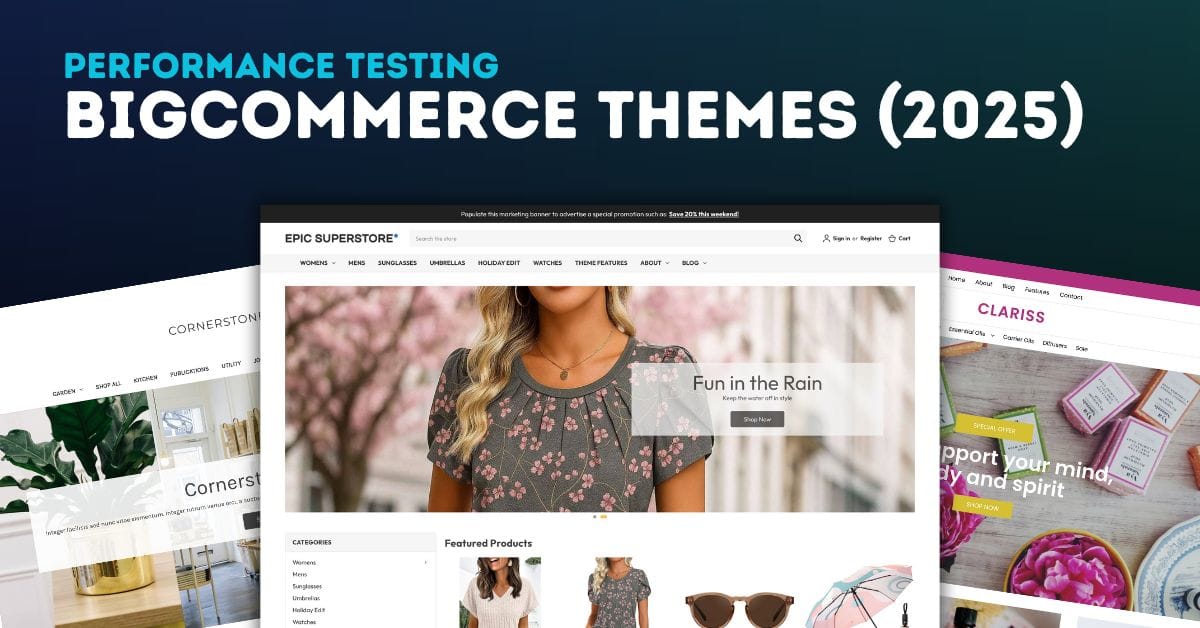
BigCommerce Theme Performance Analysis
When it comes to ecommverce success, site performance is no longer optional. A slow-loading store can mean the difference between \[…\]

Bigcommerce Platform Limits
As an e-commerce business owner considering BigCommerce as your platform of choice, it’s essential to understand the platform’s limitations to \[…\]

51 Black Friday Email Marketing Ideas for 2024
Black Friday isn’t just a day; it’s a phenomenon, especially in the world of ecommerce. For online store owners, it’s a \[…\]
![Best Black Friday Hashtags: Boost Your Holiday Sales [2024]](https://pub-9feb8f03f14c480ea76c20805e41b035.r2.dev/images/cmm8iormz0001qtddyyi8yi2x/black-friday-hashtags/680aeb90b92b.jpg)
Best Black Friday Hashtags: Boost Your Holiday Sales [2024]
Have you ever wondered how some small businesses manage to dominate social media feeds during Black Friday? It’s not just \[…\]

Blogging for Ecommerce: Boost Your Sales with Content Marketing
Blogging has become an essential part of e-commerce marketing strategies. It is a cost-effective way to attract and engage potential customers, establish \[…\]

Brightpearl Review: Managing Inventory for Shopify and BigCommerce Stores
As e-commerce businesses expand their operations across multiple sales channels, the complexity of inventory management increases exponentially. At this growth \[…\]
Related Resources
View All →
3 ways to Add or Edit a Carousel on BigCommerce
If you’re looking to enhance your BigCommerce store’s design with a sleek carousel or slideshow, you’re in the right place. \[…\]

Add a Free Gift with Purchase on BigCommerce
Looking for a way to boost customer loyalty and increase sales on your BigCommerce store? Offering a free gift with \[…\]

Add Products to the Homepage of Your BigCommerce Store
In this video tutorial, I walk you through two simple ways to add products to your BigCommerce store homepage, helping \[…\]

Edit the Newsletter Optin Block on BigCommerce
Are you looking to customize the “Subscribe to our Newsletter” box on your BigCommerce store? In this video, I walk \[…\]
BigCommerce Sitemaps 101
Are you ready to supercharge your BigCommerce store’s SEO? If you’ve ever wondered about the ins and outs of sitemaps \[…\]

Editing Custom Fields via CSV in BigCommerce
Are you looking to efficiently manage custom fields for your products in BigCommerce? Editing via CSV is a powerful method \[…\]
Editing Products via CSV in BigCommerce
Managing products in your BigCommerce store can become overwhelming as your inventory grows, but CSV editing makes bulk updates quick \[…\]
High-Risk Permissions in BigCommerce
BigCommerce has continuously provided merchants with tools to bolster sales staff their e-commerce stores. One of the latest features to \[…\]

Getting Started with Product Images on BigCommerce
Are you struggling to upload product images to your BigCommerce store? In this video, Kal Wiggins, an ecommerce expert and \[…\]